Can I turn off the Shopify New Gift Card email notifications when connecting customer accounts?
Yes. Notifications are now fully under your control, and off by default.
When you import Gift Cards or Store Credits, Step 4 (Import Options) has a Notify customers checkbox that is off by default.
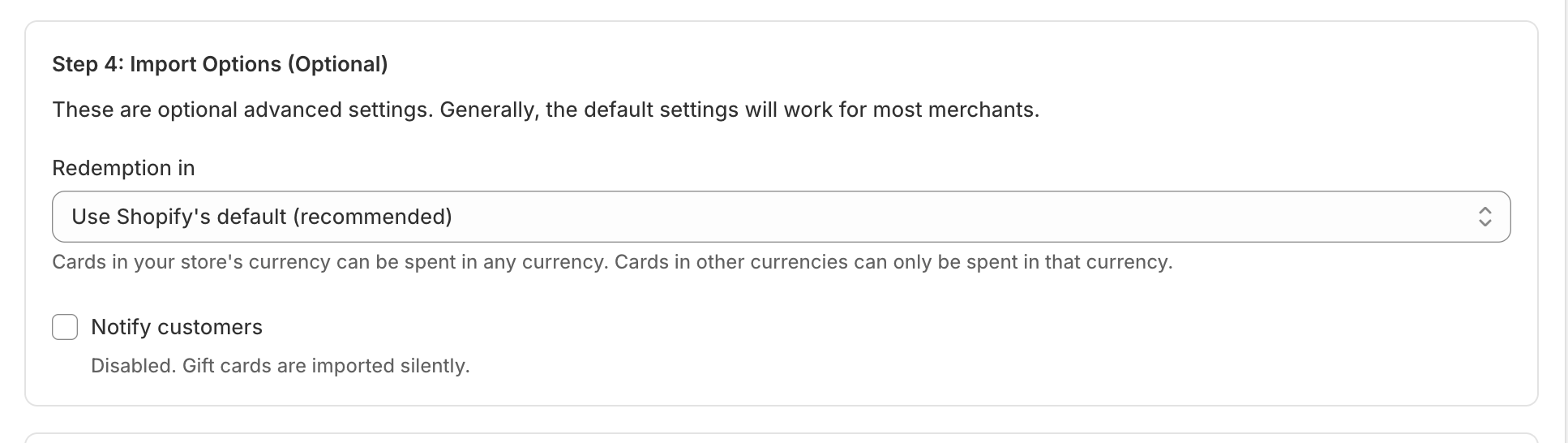
As long as you leave it off, no notifications are sent, even if you've linked cards to customers by email or phone. Linking a card to a customer and notifying them are now two separate things: the email or phone links the card to the right account, and the Notify customers toggle decides whether they hear about it.
So for a silent migration, just leave Notify customers unchecked (the default) and import as normal.
Only turn Notify customers on if you want customers to get an email or SMS letting them know a gift card was created for them, useful if your store is already live and the cards are new to them.
And remember: because we import the exact same gift card code from your old system, however customers received their card before (a physical card, or an email/SMS from the old platform) still works, so most merchants keep notifications off.
If you do turn notifications on and want to change how the message looks, you can edit it in Shopify under Settings > Notifications > Gift card created.