Can I notify customers when I import their Gift Cards or Store Credit?
Yes, and you're now in control of it. Previously you couldn't choose whether customers heard about their imported cards. Now there's a Notify customers checkbox in Step 4 (Import Options). It's off by default, so unless you turn it on, cards and credit import silently and no one is contacted.
For Gift Cards:
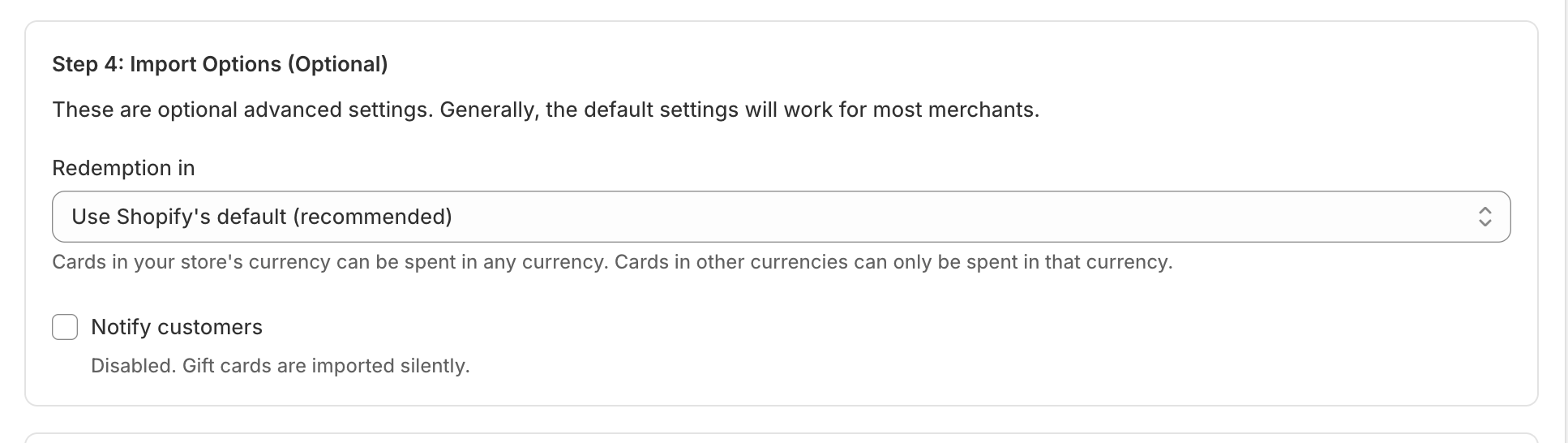

For Store Credits:


When you switch Notify customers on, each matched customer is notified after their balance and expiry are set. Here's exactly what happens:
Gift Cards
- Gift card, customer has an email → they get the gift card notification by email.
- Gift card, customer has a phone but no email → they get it by SMS.
- Gift card, customer has both an email and a phone → they get one email. Selling Point sends a single notification per card and lets Shopify deliver it, and Shopify uses email whenever a customer has one. It is not sent twice.
- Card with no matched customer → nothing is sent (the card still imports, just unassigned).
- A disabled card (Disabled At set) → nothing is sent, even if the customer matches.
- One reminder: for Gift Cards: Shopify's gift card email shows the card's original value, not the remaining balance.
Store Credit
- Store credit → the matched customer gets a "store credit issued" email. Store credit notifications are email based, so a phone-only customer still receives the credit but won't get a message.
*You control the wording and design of these messages in Shopify under Settings > Notifications.